Skip to content
HealthDigits
Sign in

Private pilot

Track your numbers between visits. Walk into every appointment prepared.

HealthDigits keeps your readings, your medications, and your Carry Sheet: the one page a front desk or an emergency room asks for, with your conditions, allergies, doctors, and who to call. Take a photo, or say it in your own words. See how your numbers move over time, and print them for your clinician. You confirm every number and every word.

Works with the devices and apps you already have. Nothing to pair. Nothing to connect.

Private by design. Only you see your readings and photos in the app.

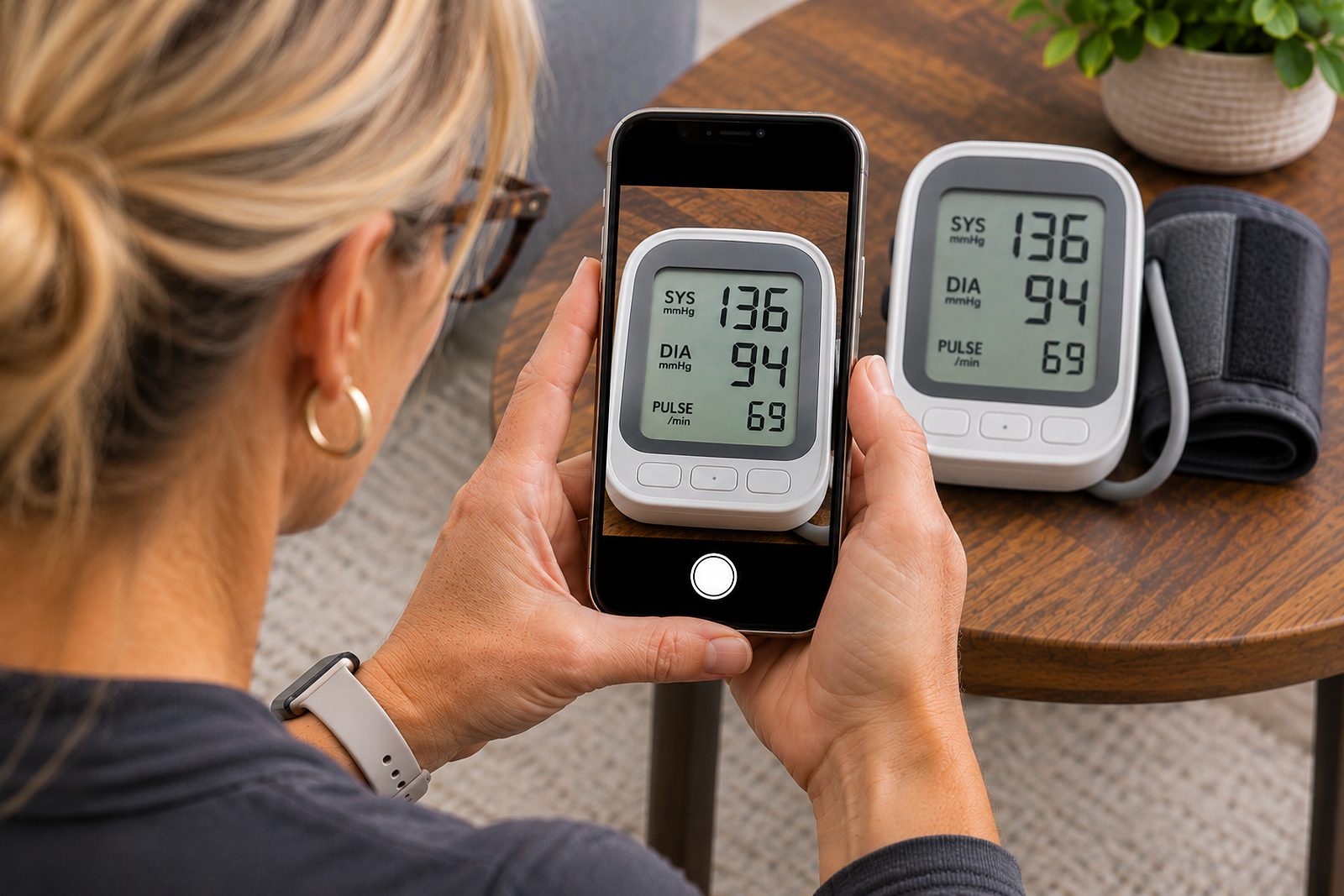
A person photographing a blood pressure monitor with a phone.

What HealthDigits keeps for you.

  • Your readings

    Blood pressure, glucose, weight, temperature, and oxygen level. Take a photo of the device, or say or type the number.

  • Your medications

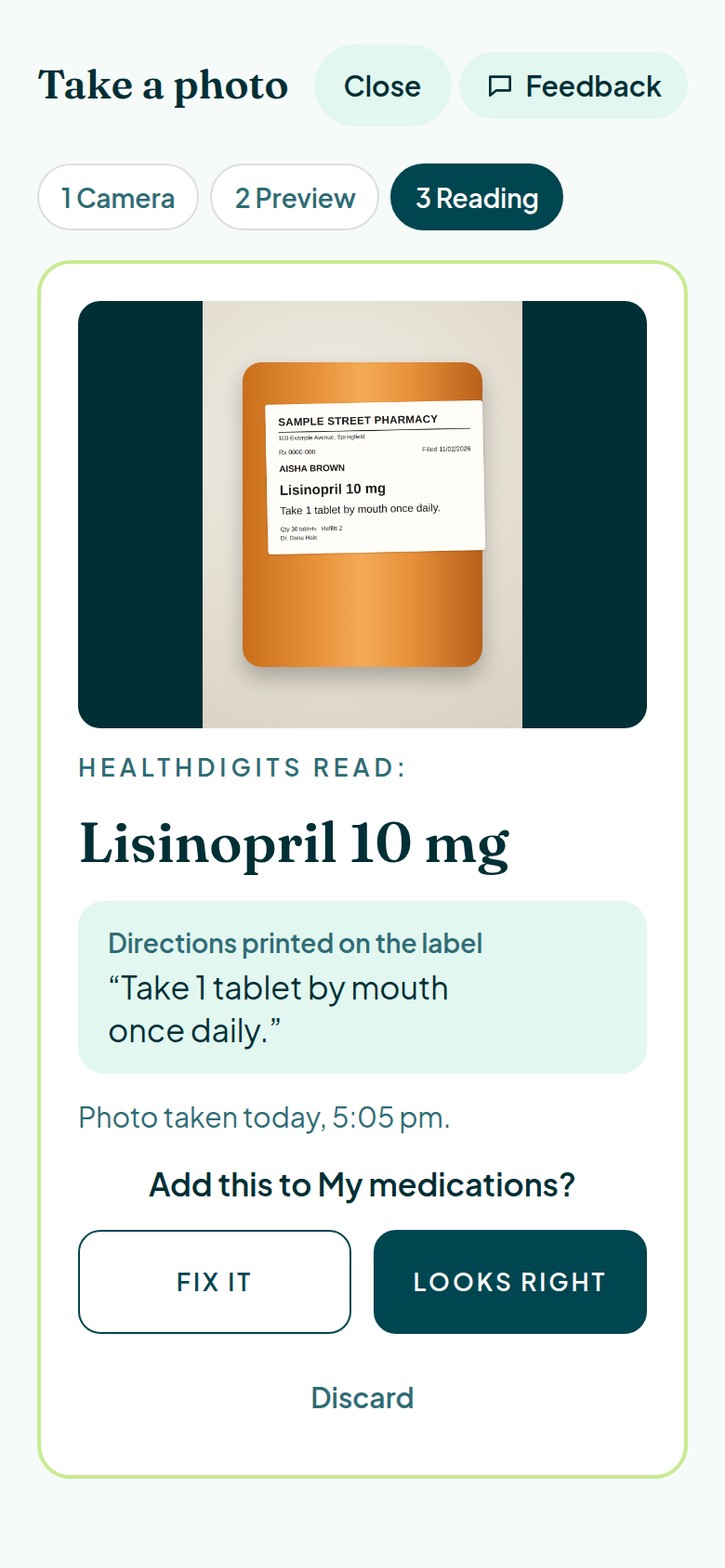
    Take a photo of the pharmacy label. HealthDigits copies the name and the directions word for word. Tap Took it to note a dose.

  • Your Carry Sheet

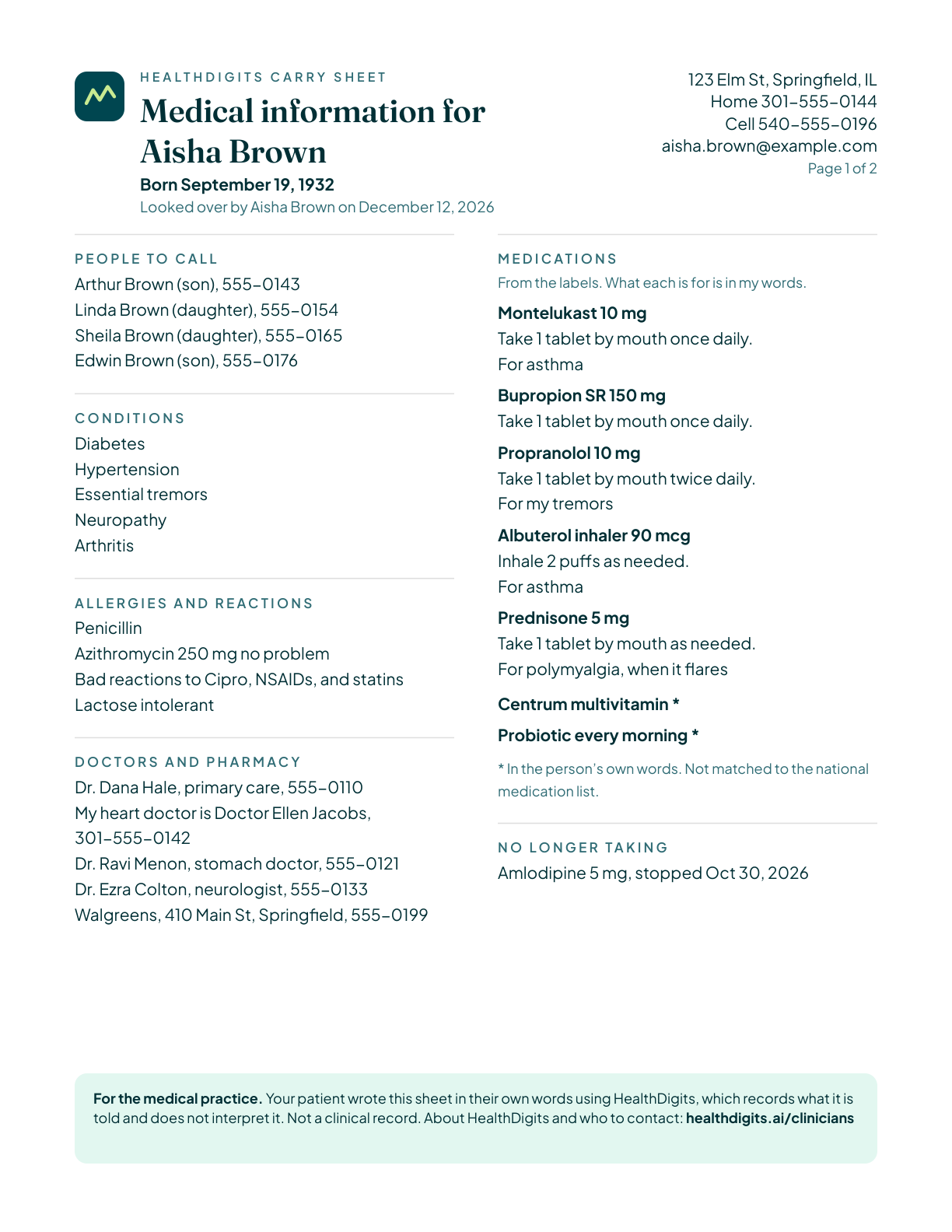
    The one page a front desk or an emergency room asks for: who to call, conditions, allergies, medications, doctors, and your insurance cards.

  • Your Readings Sheet

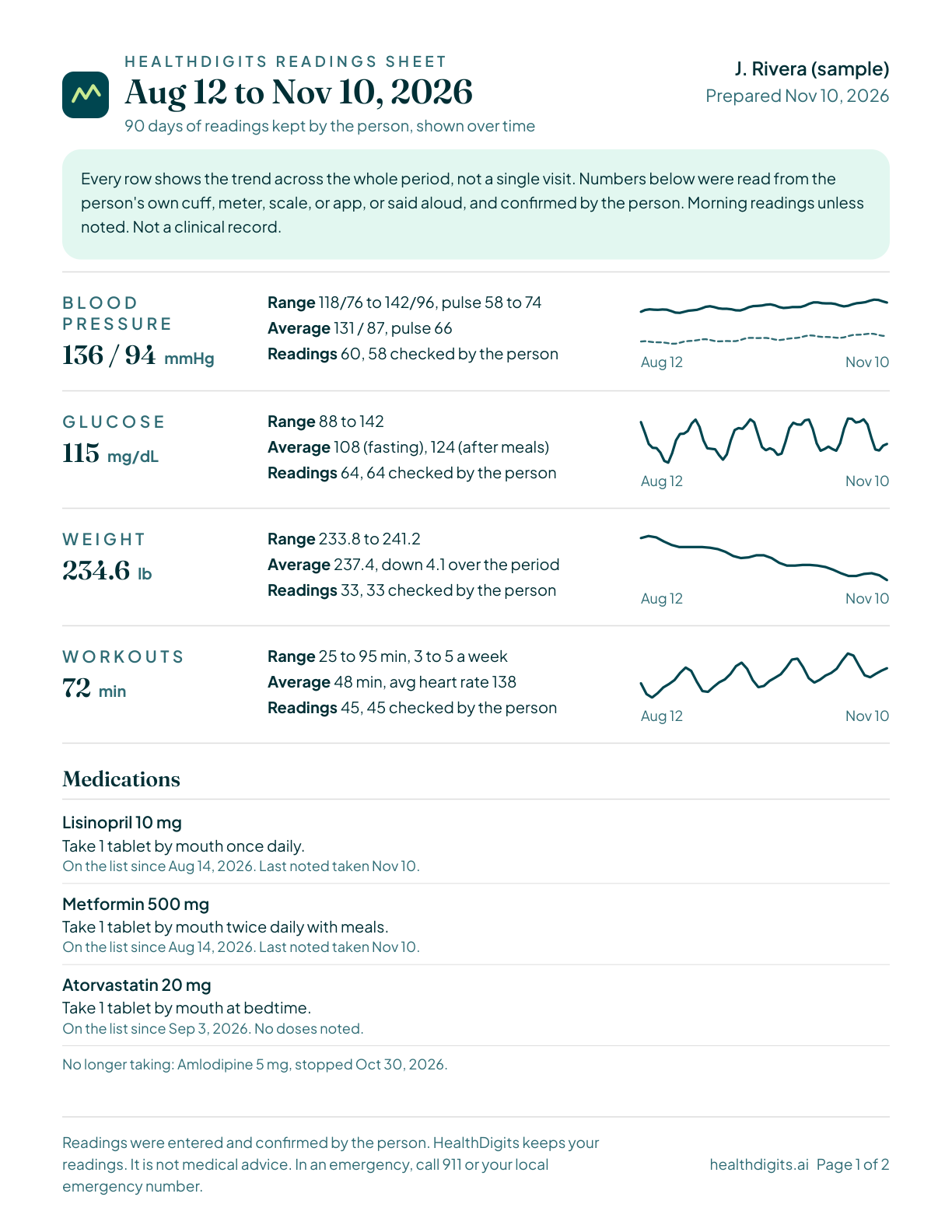
    One page for your clinician, with every number you confirmed and your own notes from the weeks between.

How it works.

  1. Take a photo, say it, or type it

    Point your phone at the display or the label. Or use a screenshot from an app. Or say it in your own words.

  2. Confirm it

    HealthDigits shows what it read or heard. Looks right, or fix it. Nothing counts until you confirm it.

  3. Use it

    Watch your trends, print your Carry Sheet, and make your Readings Sheet for your next visit.

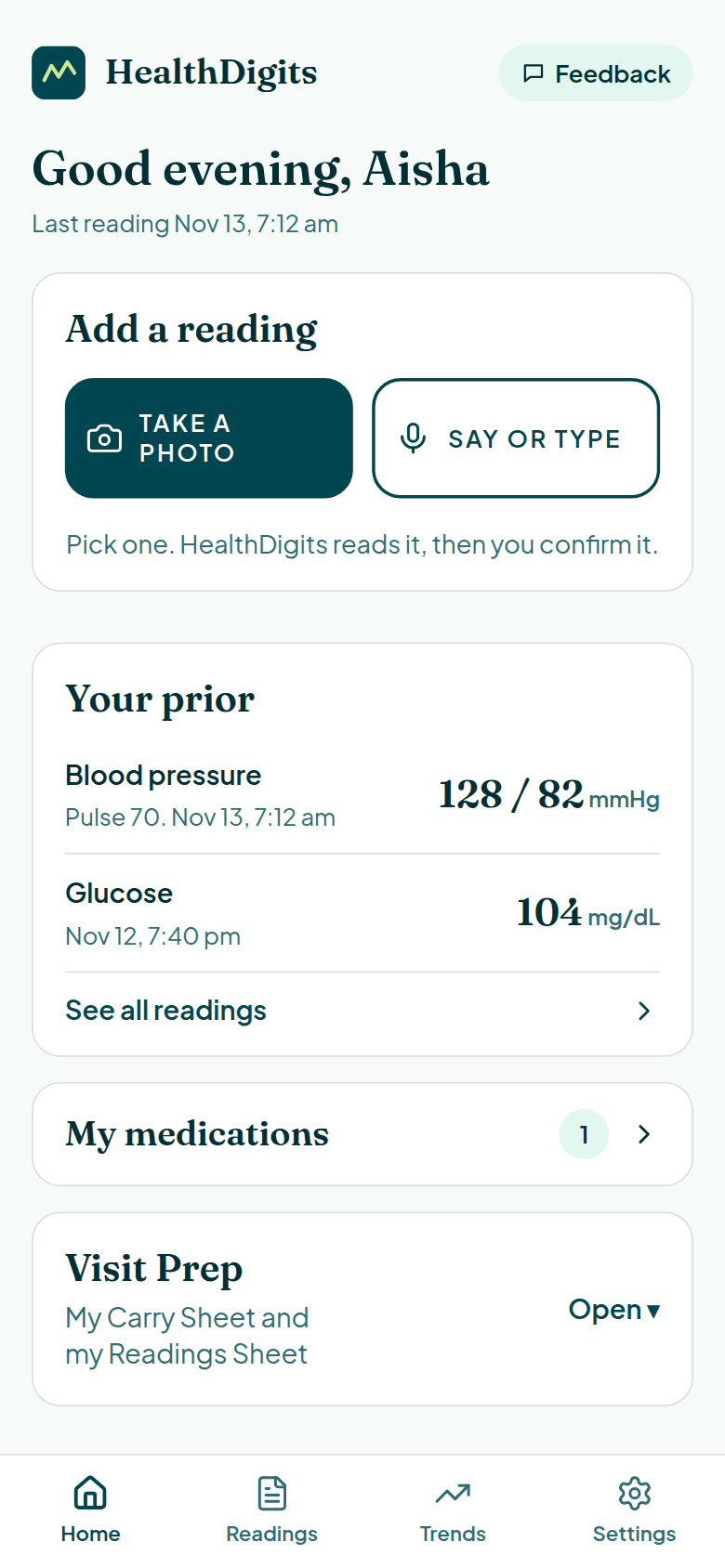
  • The Home screen for a made-up person: a greeting, Add a reading with Take a photo and Say or Type, Your prior with a blood pressure and a glucose reading, the My medications row, and the Visit Prep card, closed.
    A photo or your words, one tap.
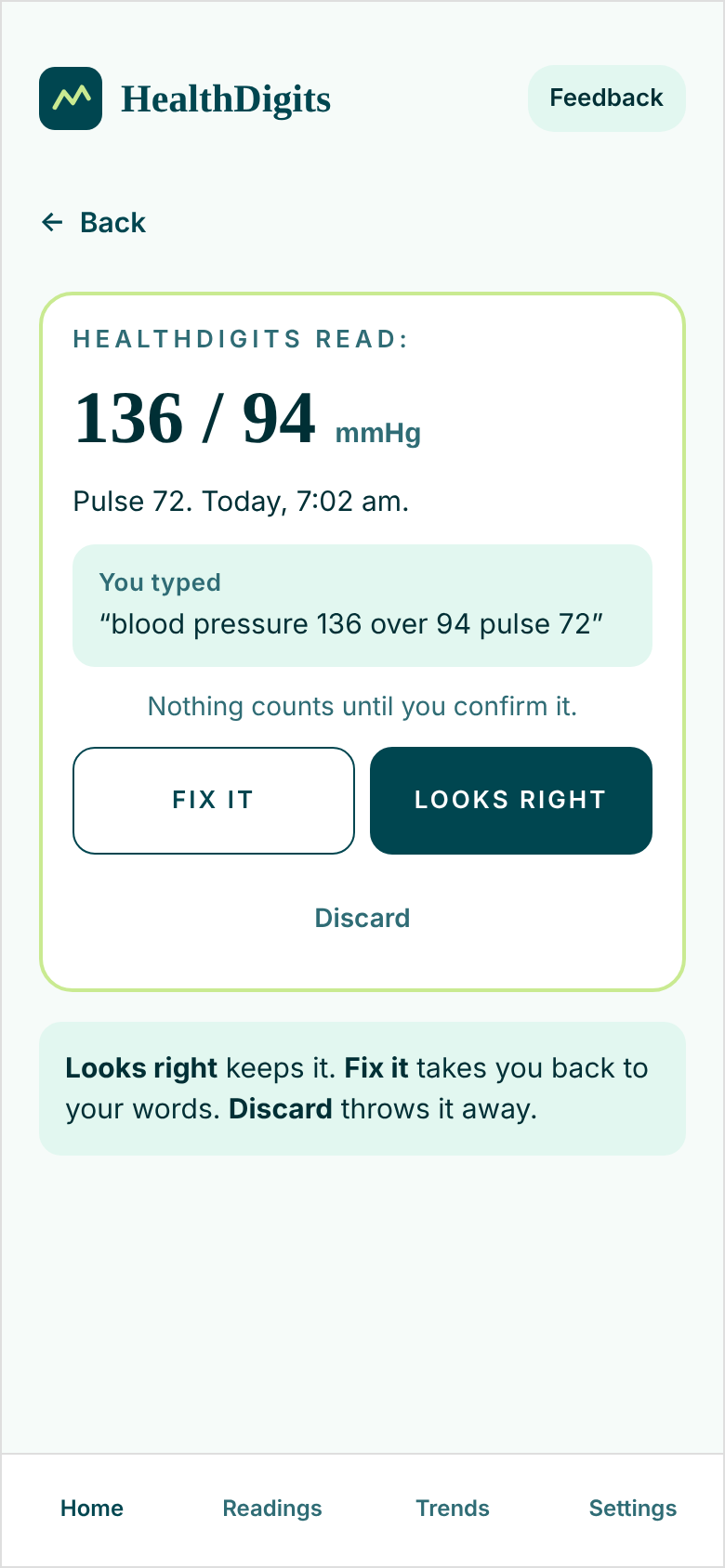
  • A typed blood pressure reading of 136 over 94 shown back to you, with Fix it and Looks right buttons.
    You confirm every number.
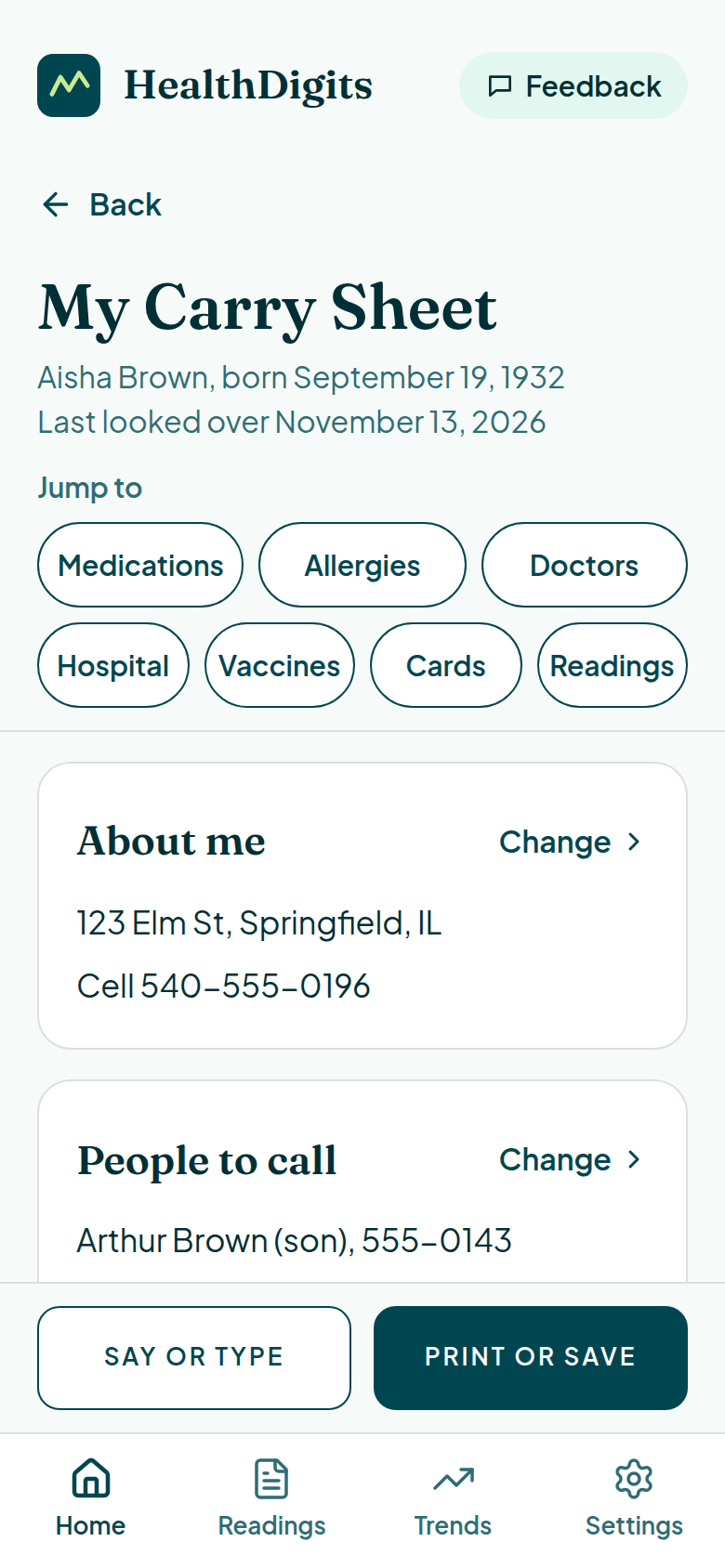
  • The My Carry Sheet screen for a made-up person, with About me and People to call, and Say or Type and Print or save at the foot.
    Your Carry Sheet, in your words.
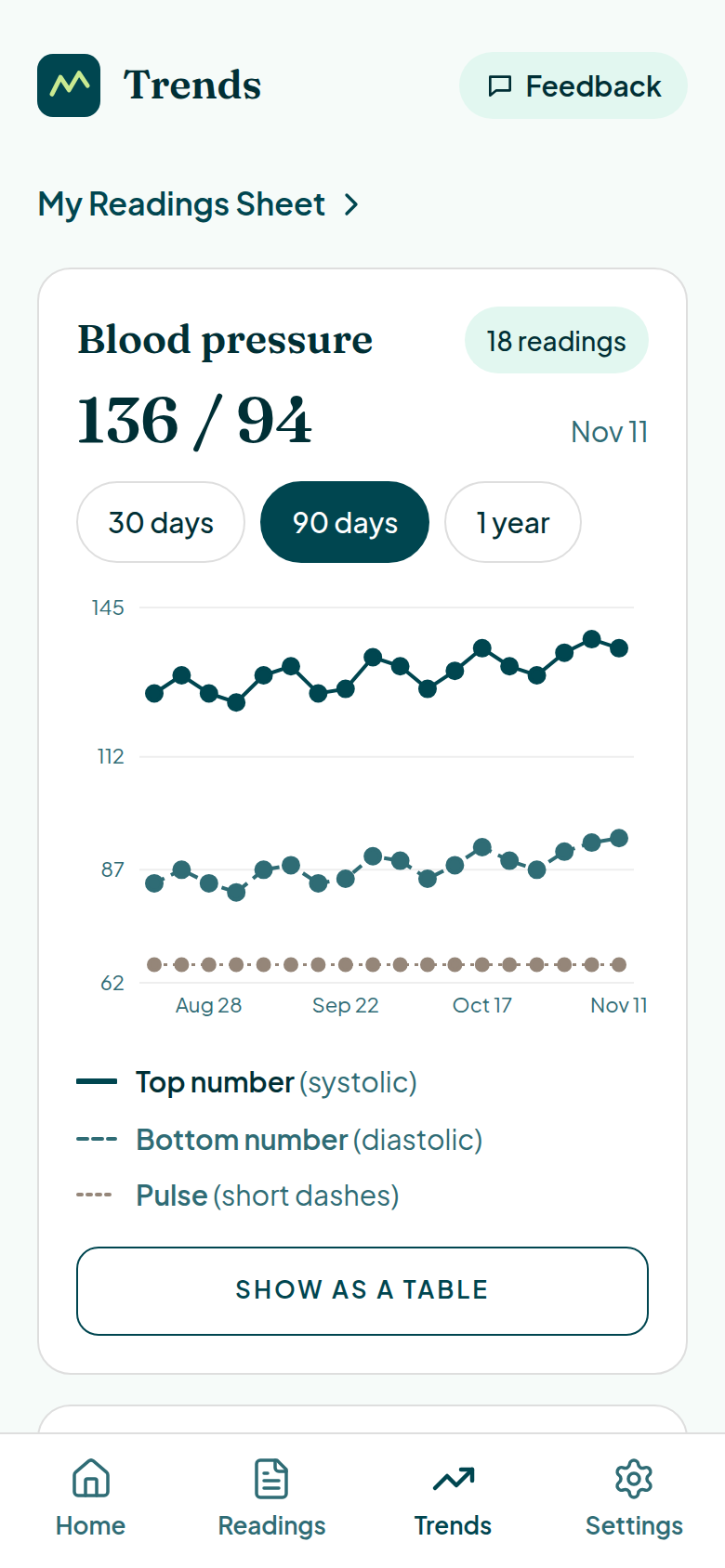
  • The Trends screen, with the My Readings Sheet link under the title and a line chart of blood pressure readings and pulse over the last 90 days.
    Your numbers over time.
  • More of what you keep.

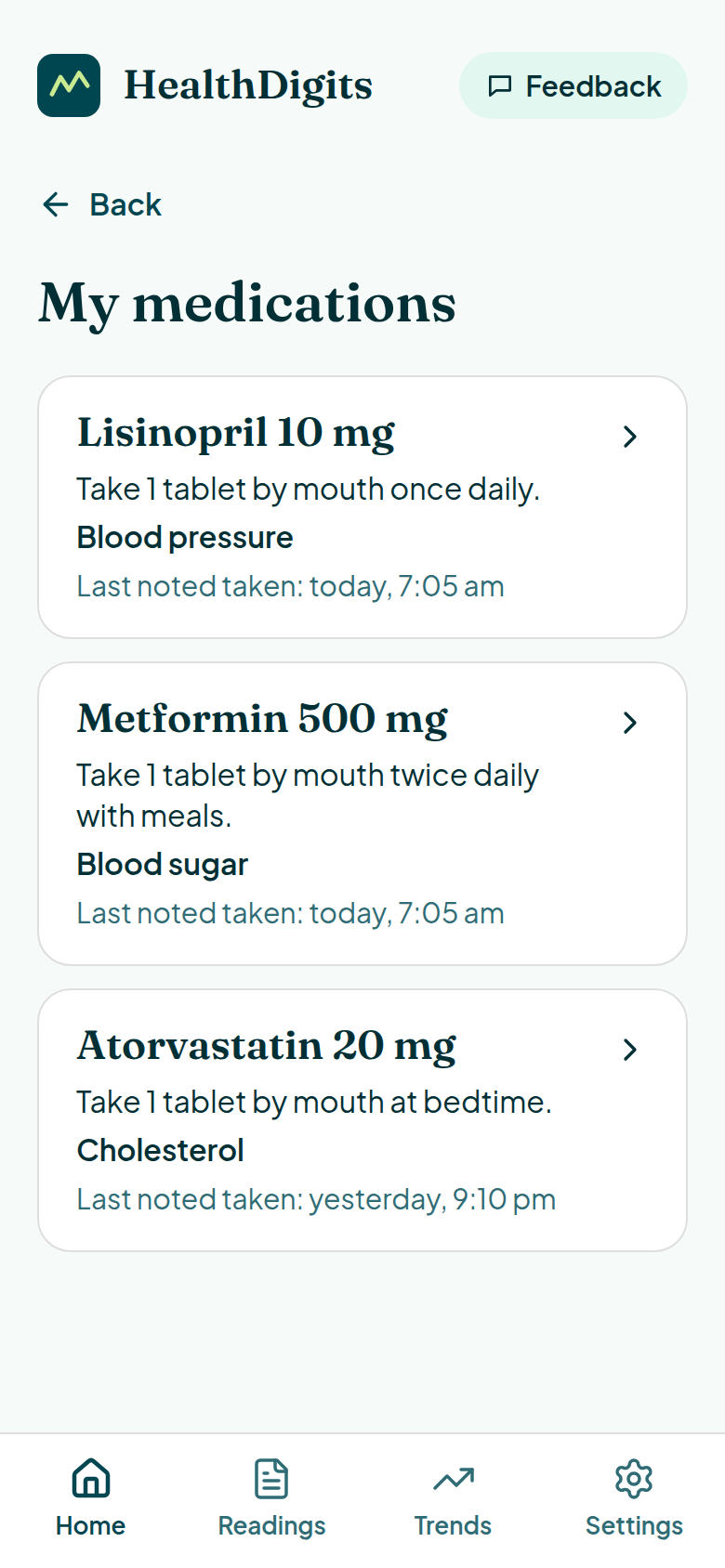
    The My medications screen for a made-up person: Lisinopril 10 mg for blood pressure, Metformin 500 mg for blood sugar, and Atorvastatin 20 mg for cholesterol, each with when a dose was last noted.
    Your medications, from the label.
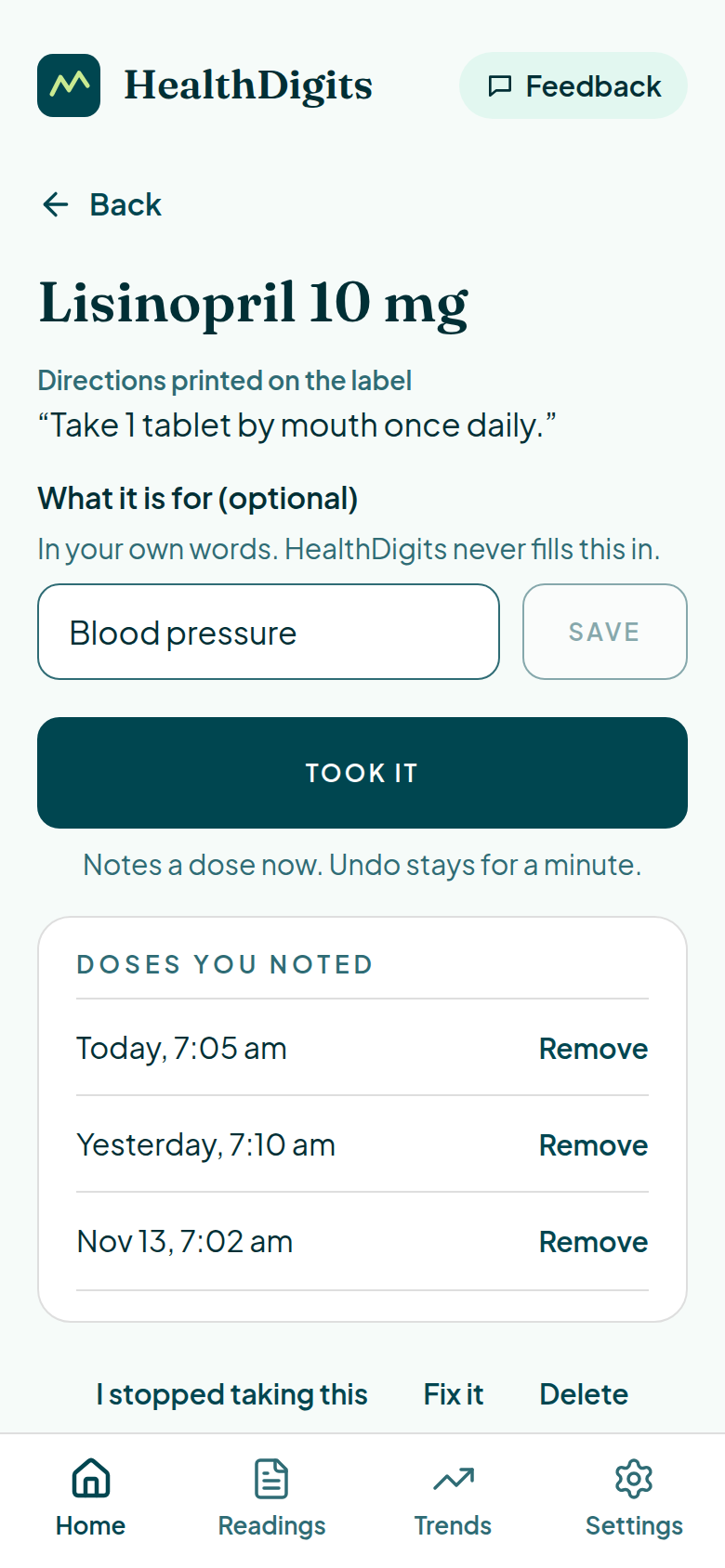
  • One medication's page for a made-up person: Lisinopril 10 mg, the directions printed on the label, what it is for in their own words, the Took it button, and the doses they noted on the last three days.
    Note a dose in one tap.
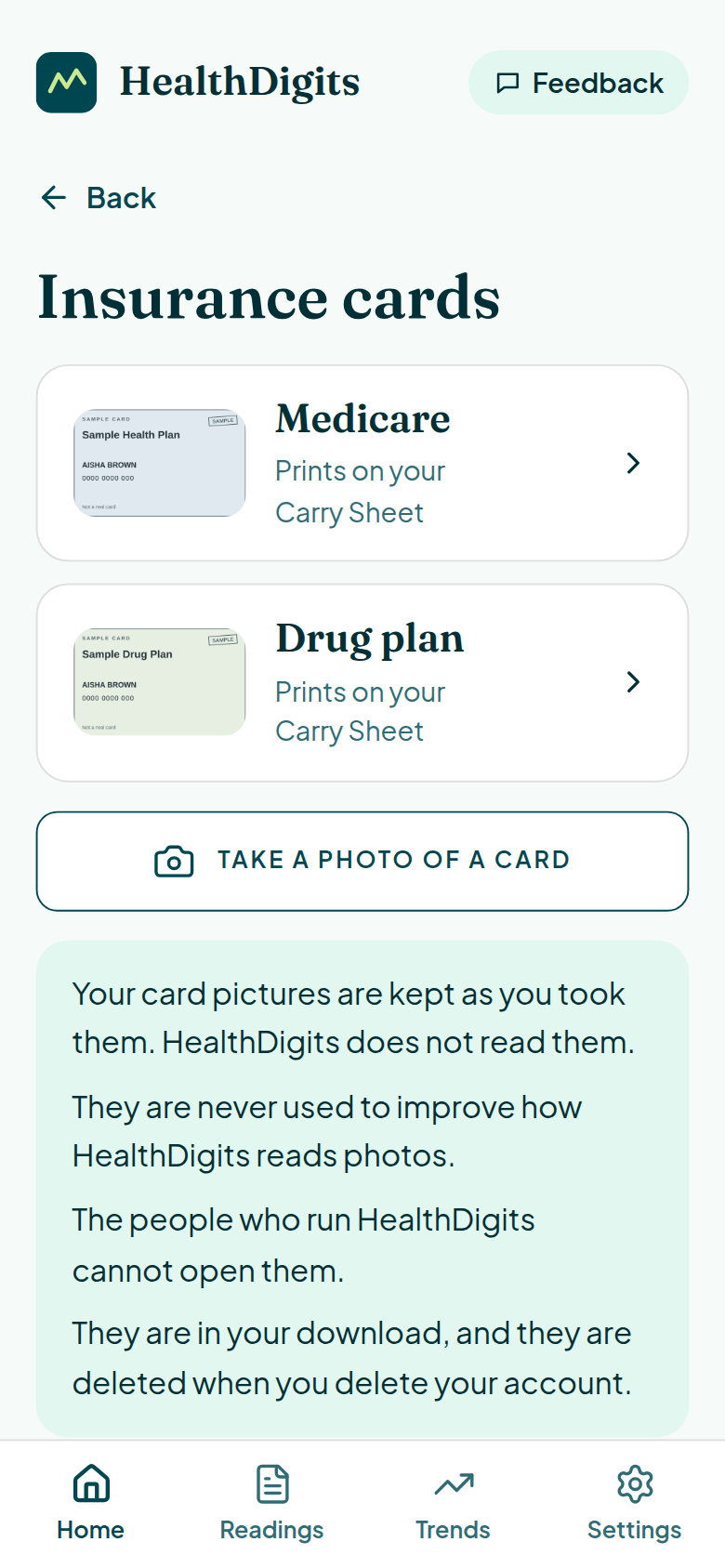
  • The Insurance cards screen for a made-up person: two sample cards, Medicare and Drug plan, each shown as a small picture of its front and marked Prints on your Carry Sheet.
    Your insurance cards, kept as pictures.
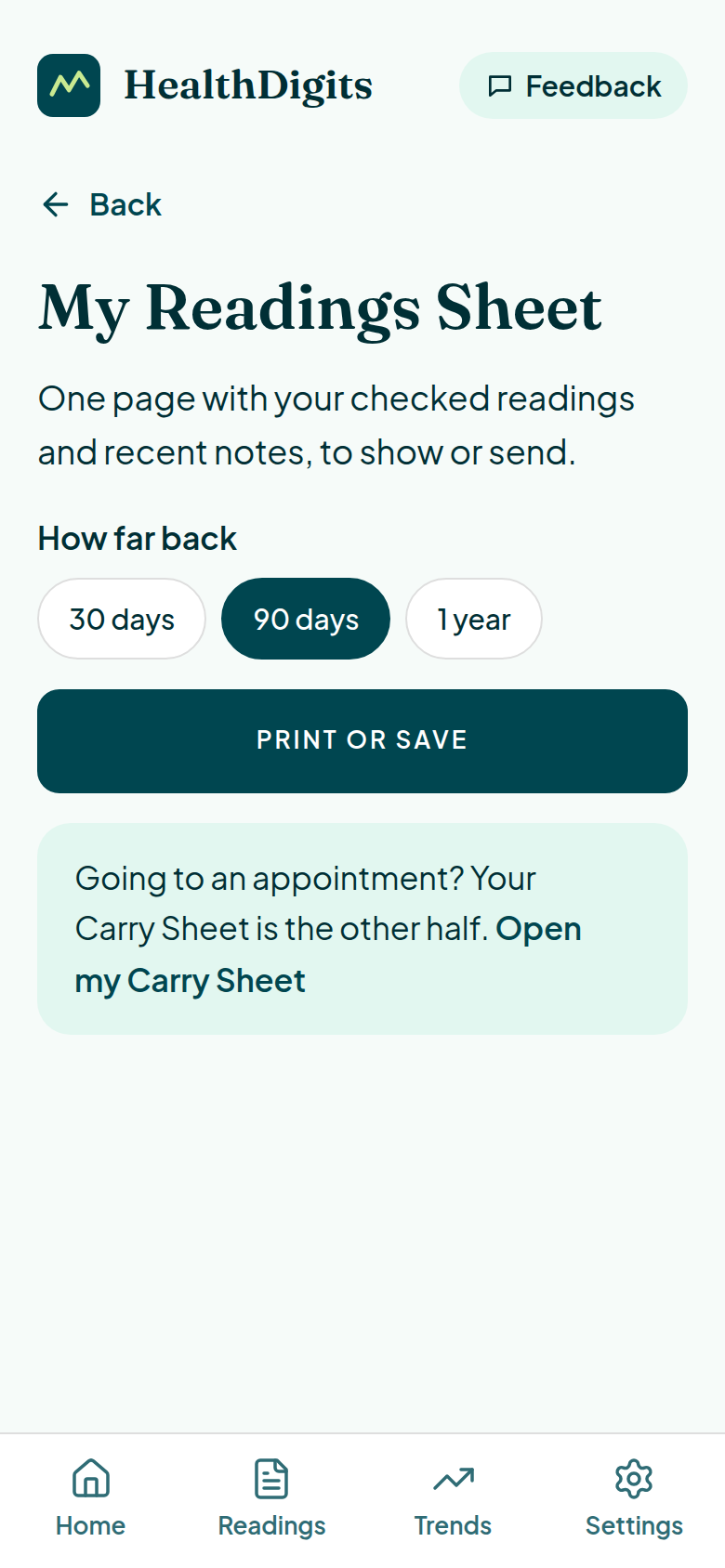
  • The My Readings Sheet screen: How far back with 30 days, 90 days, and 1 year, the Print or save button, and the line Going to an appointment? Your Carry Sheet is the other half.
    A Readings Sheet for your clinician.

Or just say it.

Tap Say or Type and talk the way you would to a person. HealthDigits works out where your words belong, and you confirm every word before it counts.

  • You say “Blood pressure 136 over 94”

    Where it goes: A reading

    On your trend line, with the date and time.

  • You say “Took my lisinopril”

    Where it goes: A dose

    Noted on that medication in My medications, with the time.

  • You say “I am allergic to penicillin”

    Where it goes: Your Carry Sheet

    Under Allergies and reactions, in your own words.

  • You say “Dizzy after the gym, passed in ten minutes”

    Where it goes: A note

    Kept in your words, with the date, for your Readings Sheet.

Rather not talk? Type the same words. It works the same way.

Walk in prepared.

Two pages do the talking. One says who you are and lists your medications. The other shows how you have been since last time.

Your Carry Sheet

Who you are and your medications.

  • Everything a front desk asks for, usually on one sheet of paper, front and back.
  • Kept in your own words. HealthDigits does not sort or interpret it.
  • Your insurance cards, your doctors, and your pharmacy, with a date that shows when you last looked it over.
Page 1 of a sample printed Carry Sheet for a made-up person: people to call, conditions, allergies and reactions, doctors and pharmacy, medications from the labels with what each is for, and the note for the medical practice.
Sample page. Not a real person.

For a front desk, an emergency room, or family.

Your Readings Sheet

How you have been since last time.

  • Ninety days of home readings on one page: ranges, averages, and a trend line.
  • Every number confirmed by you, with your own notes from the weeks between.
  • Show it on your phone, print it, or send it ahead.
Page 1 of a sample Readings Sheet for a made-up person: blood pressure, glucose, weight and workouts, each shown over 90 days, then three medications with their directions and one no longer taken.
Sample page. Not a real person.

For your clinician at an appointment.

Print either one, or both, before you go.

Handing one to a medical practice? There is a page for them at healthdigits.ai/clinicians.

How people use it.

Six everyday examples. Nothing here is medical advice.

For your own numbers

  • The morning cuff

    You take your blood pressure every morning. Point your phone at the cuff and tap Looks right. In three months you have ninety readings to bring to your appointment instead of one.

  • Starting a new medication

    GLP-1s and other peptides, or any new prescription. Keep taking photos of the scale and the meter, and say how each dose went. Your prescriber gets the numbers and your notes on one page.

  • Appointment day

    The night before, choose the dates and make your Readings Sheet. Show it on your phone or print it. Your doctor does not need an app.

When you look after someone

  • Caring for a parent

    Set HealthDigits up on their phone, or sign in for them on yours. A photo of the meter and a sentence about the day, and the whole month is there for the next visit.

  • An unplanned visit

    The emergency room asks what your parent takes and what they are allergic to. It is on their Carry Sheet, on the phone and on the page in their bag.

  • When writing is hard

    Arthritis, a tremor, or small print can make a paper log a chore. Say “glucose 115” and HealthDigits writes it down. One large button confirms it.

You stay in charge.

The screen right after photographing a medication label: the photo of a made-up pharmacy label, HealthDigits read Lisinopril 10 mg, the directions printed on the label, Take 1 tablet by mouth once daily, and Fix it and Looks right.

Looks right keeps it.

Fix it lets you correct anything it read.

Discard throws it away; nothing is kept.

If a number is far from your usual, HealthDigits says so before you confirm it. Nothing counts until you confirm it.

Your readings and photos are yours. You can download or delete your readings at any time.

Four promises.

A promise only counts if it is specific. These are ours. Each one is in the Privacy policy, word for word.

  • No ads. Never sold.

    Your readings are never sold, never shared with advertisers, and never used to build a profile of you.

  • No training on your readings.

    Not by us, and not by the model that reads your photo, unless you turn that on yourself.

  • We ask you first.

    If we ever want to use your readings in a new way, we ask. If you say no, or say nothing, nothing changes for your readings.

  • You can leave with everything.

    Download or delete your readings at any time.

The numbers between visits.

By most estimates, 80 percent or more of what shapes your health happens outside a clinic. Your clinician sees you a few times a year, for a few minutes, in a chair you did not sleep in. The rest of the year is where your blood pressure, glucose, weight and sleep actually live, and nobody is in a better position to see how they are going than you.

That takes more than a glance at the cuff. A reading means little on its own. Ninety days of readings, each with its time and its source, each confirmed by you, show you where things are heading: whether the new medication is doing anything, whether the evening walks are showing up in the numbers, whether a bad week was one bad week. Clinicians call this real-world data. For you it is simply the story of how you are doing, told in your own numbers.

That is what HealthDigits is for: a reading a day, in under ten seconds, kept in one place that belongs to you. Watch the trend yourself. Bring it to your clinician when it is time.
JanFebMarAprMayJunJulAugSepOctNovDec
One year. The three days your clinician sees, and the 335 you can.Even if you saw a clinician every month, that would be 12 days out of 365.

Where HealthDigits is going.

HealthDigits is a first step. Today your readings are kept on our service, protected by the four promises on this page. We are building toward a record you hold yourself, one that no one but you can open, not even us.

That record is SHIRLe Health, and it is in development. When it opens, you will be able to bring your HealthDigits readings with you.

Your readings and photos are yours. You can download everything at any time.

Questions people ask.

Is this medical advice?
No. HealthDigits records what your devices show and what you say. It does not interpret readings or alert anyone. Talk to your clinician about what the numbers mean. If you think this is an emergency, call 911 or your local emergency number.
What happens to my photo?
It is read once by a vision model to pull out the numbers, then kept with your reading so you can check it. You can delete it any time. It is never used to train models unless you turn that on.
Who can see my readings?
You. Only you see your readings and photos in the app. The people who run HealthDigits can look at your readings only when needed to support you or to check that the service is working.
Can I delete my account?
Yes. You can delete your account and what is in it. We keep performance records with no name or email attached. You can download everything at any time.
Does it work with my device?
If the device shows a number on a screen, yes. Cuffs, meters, CGM apps, scales, watch and ring apps, nutrition logs. And you can always say or type the number.
What does it cost?
Nothing during the pilot. After the pilot, $7.99 a month or $59 a year, and you will be told before anything is charged.
What is a Carry Sheet?
One page of basic medical information to keep on your phone or in your bag. You say what goes on it, and it stays in your words.
Does HealthDigits read my insurance card?
No. It keeps the pictures as you took them, so you can show them at the desk.
Do I need my email every time I sign in?
No. After your first sign-in, most phones let you use Face ID, your fingerprint, or the phone's passcode.
I work at a medical practice. What is this sheet?
There is a page for you at healthdigits.ai/clinicians.

Join the private pilot.

HealthDigits is in a private pilot. The first group starts in early 2027. Pilot members use it free, and you will be told before anything is ever charged.

Request an invite

HealthDigits keeps your readings. It is not medical advice. In an emergency, call 911 or your local emergency number.